
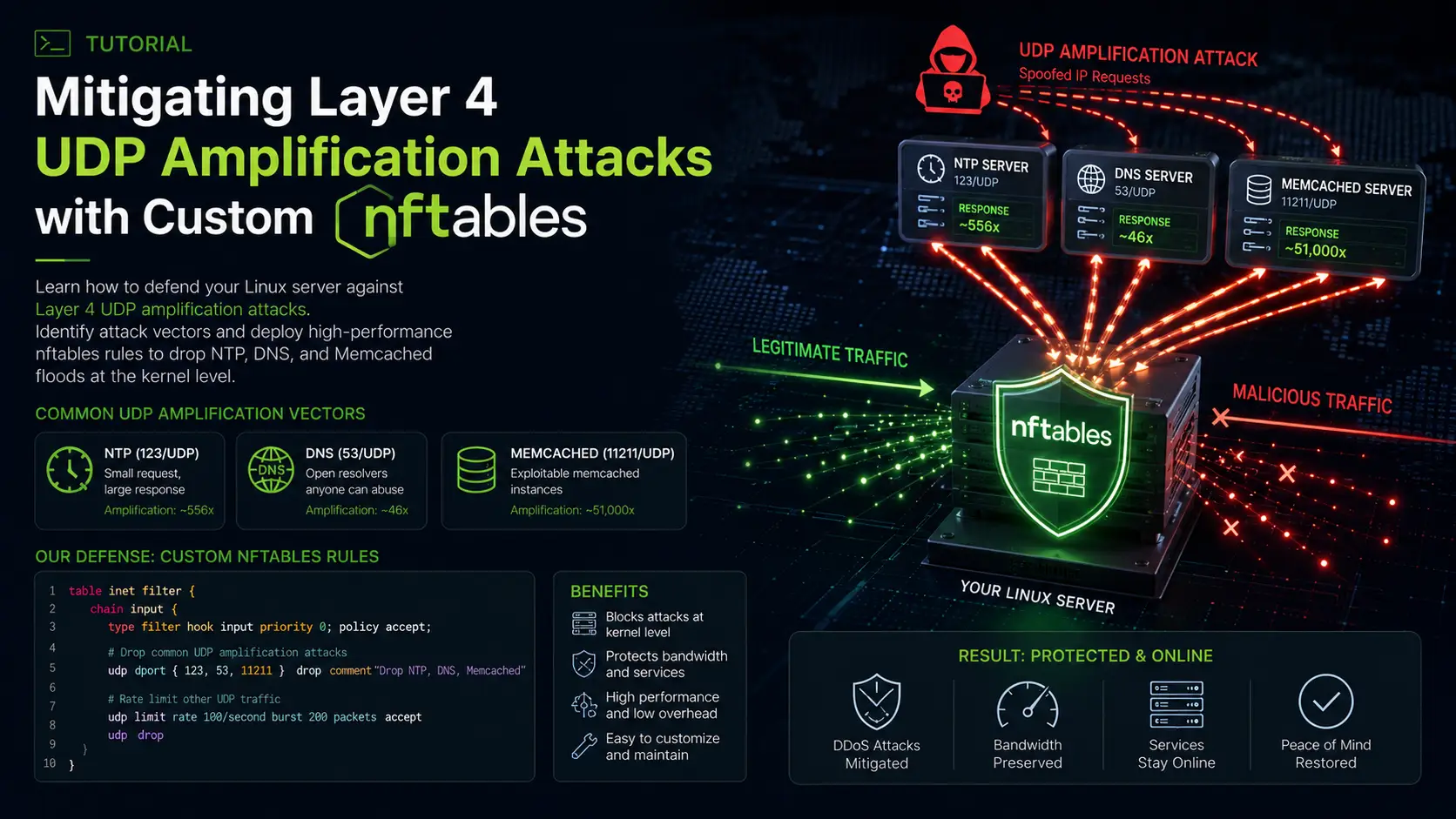
UDP Amplification attacks are the "sledgehammers" of the DDoS world. Unlike TCP-based attacks that require a three-way handshake, UDP is connectionless. This allow attackers to spoof your server's IP address and send small requests to misconfigured public services (like DNS or NTP servers), which then respond with massive amounts of data directed at your server.
If your server hosts a game (Minecraft, Rust, Source Engine) or a VoIP service, you are a prime target. Without mitigation, these floods saturate your bandwidth, causing your hosting provider to "null-route" your IP to protect their network, effectively taking you offline.
In this 2000-word deep dive, we will move beyond basic firewalls and use nftables—the modern successor to iptables—to build a high-performance defense system that drops malicious UDP traffic before it can choke your applications.
What You'll Learn
The Mechanics of UDP Amplification
Identifying the Attack Vector
Transitioning to nftables
Creating the "Ingress" Filter
Protocol-Specific Rules
Implementing Rate Limiting
Master Config & Monitoring
Conclusion
The Mechanics of UDP Amplification
To fight these attacks, you must understand the Amplification Factor. An attacker sends a 60-byte request to a vulnerable DNS server. The DNS server responds with a 3,000-byte record. Because the attacker spoofed the source IP to be your server's IP, your server is hit with a response 50 times larger than the original request.
| Protocol | Amplification Factor | Typical Payload |
|---|---|---|
| DNS | 28x to 54x | Large TXT records / DNSSEC |
| NTP | 550x to 4600x | monlist command responses |
| Memcached | 10,000x to 51,000x | Unauthenticated data retrieval |
| SSDP | 30x | Universal Plug and Play discovery |
Because UDP is connectionless, your Linux kernel has no "state" to check if it actually requested that data. By default, the kernel will try to process every single one of these thousands of incoming packets, wasting CPU cycles before eventually handing them to an application that doesn't want them.
Identifying the Attack Vector
Before writing rules, you must diagnose the flood. Blindly blocking all UDP will break your own services.
1. Check Packet Statistics
First, see the scale of the hit using nstat (part of the iproute2 package):
nstat -az | grep Udp
If UdpInDatagrams is climbing by hundreds of thousands per second, you are under a flood.
2. Capture a Sample with tcpdump
You need to see the source ports. Most amplification attacks come from standard service ports.
sudo tcpdump -ni eth0 udp -c 100
What to look for:
Large amounts of traffic from port 53 (DNS).
Traffic from port 123 (NTP).
Traffic from port 1900 (SSDP).
Traffic from port 11211 (Memcached).
If you see thousands of packets from port 123 hitting random ports on your server, you are dealing with an NTP monlist amplification attack.
Transitioning to nftables
While iptables is familiar, nftables is significantly faster for DDoS mitigation. It uses a more efficient internal virtual machine and allows for "Ingress" hooks.
Standard firewall rules happen at the "Prerouting" stage. The Ingress hook happens even earlier—immediately after the NIC passes the packet to the kernel. Dropping a packet at Ingress is the "cheapest" operation in terms of CPU usage.
Install nftables (Ubuntu/Debian):
sudo apt update && sudo apt install nftables -y
sudo systemctl enable nftables
Creating the "Ingress" Filter
We will start by creating a table specifically for "netdev" (network device) filtering. This allows us to use the high-performance ingress hook.
1. Define the Table and Base Chain
Create a file named /etc/nftables.conf (or edit the existing one) and add the following:
table netdev filter {
    chain ingress {
        type filter hook ingress device "eth0" priority -500; policy accept;

        # We will put our drop rules here
    }
}
Note: Replace "eth0" with your actual interface name found via
ip link.
Protocol-Specific Rules
Now we will add rules to the ingress chain to kill the most common amplification vectors. These rules look for UDP traffic originating from common service ports that exceed a reasonable size.
1. Blocking NTP Amplification
NTP monlist responses are almost always large.
# Drop UDP packets from NTP source port 123 larger than 400 bytes
udp sport 123 udp length > 400 drop
2. Blocking DNS Amplification
Unless you are running a heavy DNS recursive resolver, you shouldn't receive massive UDP packets from port 53.
# Drop UDP packets from DNS source port 53 larger than 512 bytes
udp sport 53 udp length > 512 drop
3. Blocking SSDP and Memcached
These are almost never legitimate for a server environment.
# Block SSDP
udp sport 1900 drop

# Block Memcached UDP (extremely dangerous)
udp sport 11211 drop
Implementing Rate Limiting
Sometimes, attackers use "Simple Service Floods" where they just spam small UDP packets at your game server port (e.g., port 27015 for Source Engine). You can't block the port, so you must rate-limit it.
Nftables uses "meters" to track IP addresses and their volume. You must first define the set @flood_limit at the top of your table:
set flood_limit {
    type ipv4_addr
    size 65535
    flags dynamic, timeout
    timeout 1m
}
Then apply the rate limit in your chain:
# Rate limit new UDP connections to 10 per second per source IP
# Drop anything exceeding that limit
udp dport 27015 add @flood_limit { ip saddr limit rate 10/second } accept
udp dport 27015 counter drop
Putting it all Together: The Master Config & Monitoring
Here is a complete, production-ready nftables.conf designed for a server that needs to survive a Layer 4 UDP flood while keeping its game/VoIP ports open.
#!/usr/sbin/nft -f

flush ruleset

table netdev filter {
    set flood_limit {
        type ipv4_addr
        size 65535
        flags dynamic, timeout
        timeout 1m
    }

    chain ingress {
        type filter hook ingress device "eth0" priority -500; policy accept;

        # 1. Drop Fragments (Common in amplification)
        ip frag-off & 0x1fff != 0 counter drop

        # 2. Protocol Amplification Mitigation
        udp sport 53 udp length > 512 counter drop
        udp sport 123 udp length > 400 counter drop
        udp sport 1900 counter drop
        udp sport 11211 counter drop

        # 3. Game Server Port Protection (Example: Port 27015)
        # Allow 60 packets per second per IP, then drop
        udp dport 27015 add @flood_limit { ip saddr limit rate 60/second } accept
        udp dport 27015 counter drop

        # 4. Global UDP Rate Limit (Emergency Brake)
        # Limits total incoming UDP to 100k packets per second
        limit rate over 100000/second counter drop
    }
}

table inet filter {
    chain input {
        type filter hook input priority 0; policy accept;
        # Standard SSH/Web rules go here
    }
}
Persistence and Monitoring
-
Apply the rules:
bashsudo nft -f /etc/nftables.conf -
Monitor the drops: Because we added the
counterkeyword to our rules, we can see exactly how many packets are being killed in real-time.bashsudo nft list table netdev filterExample Output:
plaintextudp sport 123 udp length > 400 counter packets 4502310 bytes 540277200 dropIf you see millions of packets on the NTP rule, your mitigation is successfully saving your bandwidth.
-
Check Kernel CPU Usage: If the attack is massive (millions of pps), check
top. You will seesi(software interrupts) usage. By using nftables ingress, yoursiusage will be significantly lower than if you used iptables, allowing the CPU to still process legitimate traffic for your users.
Remediation Strategies: When Software Isn't Enough
Software mitigation has a ceiling. If the attacker sends 10 Gbps of traffic and your server only has a 1 Gbps port, your NIC will saturate before nftables even sees the packets.
Upstream Filtering: If the nftables counters are high but you still can't connect, you must ask your provider to apply these exact rules (port 123/53 size limits) at their edge router.
BGP Anycast: For global services, moving behind a provider that uses BGP to "scrub" UDP traffic (like Path.net, CosmicGlobal, or Akamai) is the only permanent solution for 100Gbps+ attacks.
Application Proxies: For web services, ensure you are behind a proxy like Cloudflare, which handles all UDP at their edge.
Conclusion
DDoS mitigation is a game of efficiency. By using nftables ingress hooks, you move the battlefield to the very edge of your kernel. By filtering based on source port and packet length, you can surgically remove NTP and DNS amplification noise while keeping your low-latency UDP applications running smoothly.
Always monitor your counters, and never forget that software mitigation is your second line of defense behind a good network provider.