When architecting infrastructure for big data, software engineers and system administrators often obsess over compute power. They meticulously calculate the number of CPU cores required to run parallel Apache Spark jobs or the exact amount of ECC RAM needed to cache a massive Redis cluster.
While compute is undeniably important, it is rarely the true bottleneck in a big data environment. The most common silent killer of database performance, analytics processing, and system reliability is Storage I/O.
If your processors are waiting milliseconds for data to be retrieved from physical drives, your massive core count is effectively useless. Furthermore, big data implies a massive volume of critical information. If that data is not protected by resilient, enterprise-grade hardware redundancies, a single drive failure can result in catastrophic data loss and days of downtime.
In this deep dive, we will explore the foundational elements of big data storage architecture on bare metal servers. We will break down the critical metrics of IOPS and sequential vs. random read/write speeds, contrast the capabilities of NVMe and SATA drives, and detail how to leverage hardware RAID to guarantee the resilience of your data lakes and transactional databases.
Understanding Storage Metrics: IOPS and Read/Write Speeds
To architect a proper storage array, you must first understand the language of data transfer. Simply looking at a drive's capacity (e.g., 4TB or 8TB) tells you nothing about how it will perform under the stress of a big data workload.
What are IOPS?
IOPS stands for Input/Output Operations Per Second. It measures how many individual read or write commands a storage drive can execute in a single second.
- If a web server is serving a single 10GB video file to a user, that is a low IOPS task (one massive continuous read).
- If a PostgreSQL database is simultaneously updating 10,000 individual user balances, that is a high IOPS task (10,000 tiny, distinct write operations).
When hosting active databases, IOPS is the single most important metric. A drive with low IOPS will queue the database requests, causing query execution times to spike and the application frontend to freeze.
Sequential vs. Random Read/Write Speeds
IOPS work in tandem with the physical way data is written to the drive, categorized into Sequential and Random operations.
Sequential I/O occurs when data is read from or written to contiguous blocks on the storage drive. Imagine writing data in a perfectly straight line. Because the drive does not have to search for the data, sequential speeds are incredibly fast.
Big Data Use Case: Sequential speeds are critical for Backups, data archiving, and streaming large media files.
Random I/O occurs when the drive must read or write tiny blocks of data scattered randomly across the entire storage media.
Big Data Use Case: Random speeds are the lifeblood of Transactional Databases (OLTP), Elasticsearch clusters, and high-traffic web servers. Because the drive controller must constantly seek different addresses on the disk, random speeds are inherently much slower than sequential speeds.
[Image illustrating sequential vs random read write data distribution on a storage drive]
The Contenders: NVMe vs. SATA Architecture
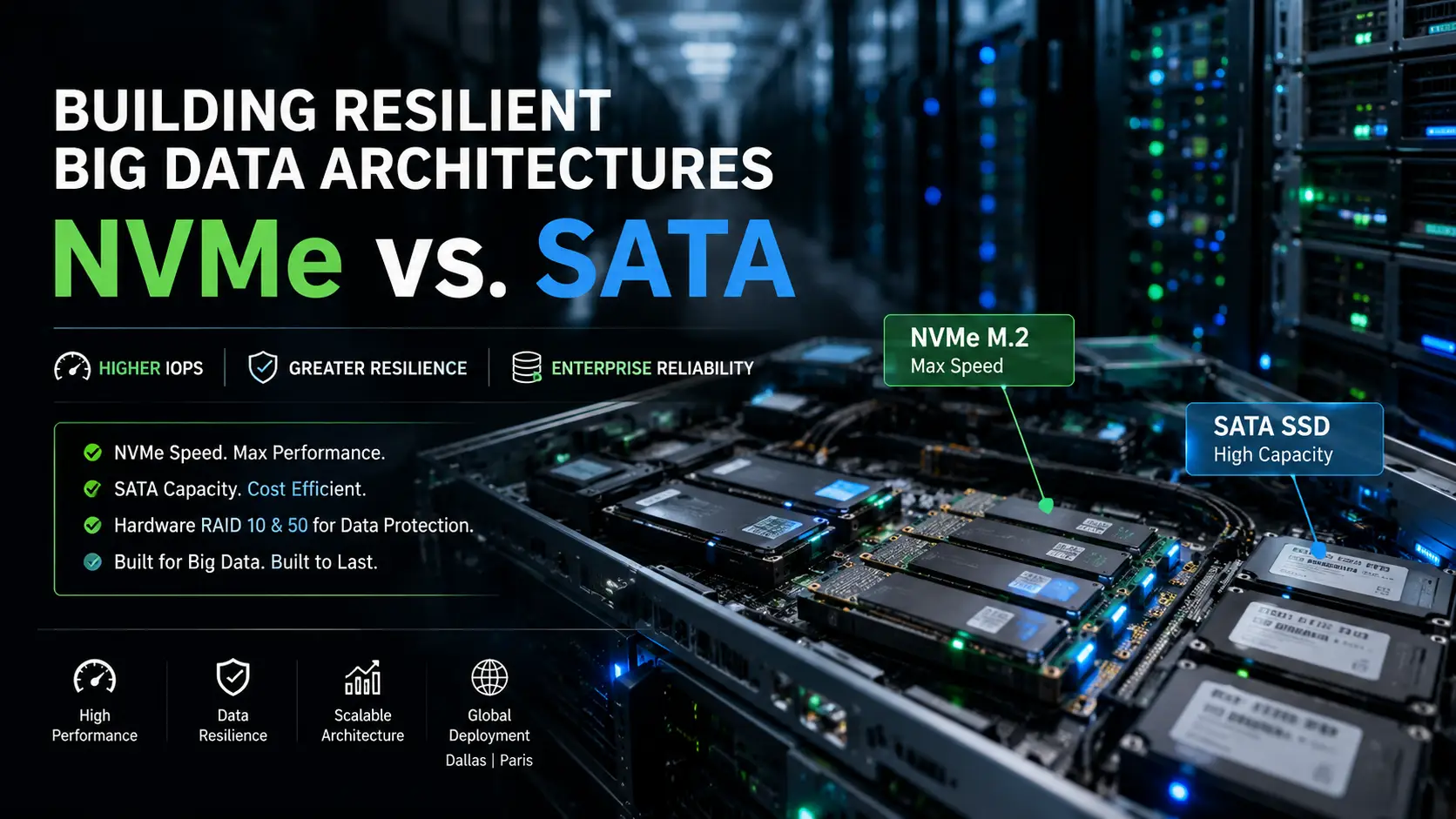
With the metrics defined, we must evaluate the physical hardware. In modern bare metal servers, storage fundamentally boils down to two protocols: SATA and NVMe.
The Role of SATA in Big Data
SATA (Serial Advanced Technology Attachment) is an older interface protocol originally designed for spinning mechanical hard drives (HDDs). While modern SATA Solid State Drives (SSDs) utilize flash memory instead of spinning platters, they are still bottlenecked by the legacy AHCI protocol they use to communicate with the motherboard.
A premium enterprise SATA SSD will max out its sequential read/write speed at roughly 550 to 600 MB/s. Its IOPS generally peak around 80,000 to 100,000.
While these numbers are too slow for high-frequency database transactions, the SATA Storage Type remains absolutely vital in big data architectures. Why? Because SATA drives offer massive storage capacities at a fraction of the cost of NVMe.
In a tiered big data architecture, SATA drives are deployed to construct vast Data Lakes and Cold Storage Arrays. If you are running massive Hadoop clusters where data is written once and read infrequently, or if you are storing daily terabyte-sized backups of your primary database, enterprise SATA drives provide the perfect blend of high capacity, durability, and cost-effectiveness.
The NVMe Revolution
NVMe (Non-Volatile Memory Express) is a protocol built from the ground up exclusively for flash storage. Instead of routing through a legacy controller, NVMe drives plug directly into the server's PCIe bus, communicating directly with the CPU.
[Image comparing NVMe and SATA motherboard interfaces]
The performance difference is staggering. While SATA maxes out at 600 MB/s, modern PCIe Gen 4 and Gen 5 NVMe drives can push sequential speeds of 7,000 MB/s to 14,000 MB/s. More importantly for databases, a single Gen 5 NVMe drive can deliver over 1,000,000 IOPS.
For the "Hot Tier" of your big data architecture—the active PostgreSQL databases, the real-time analytics engines, and the caching layers—NVMe is mandatory. It ensures that random read/write operations happen with sub-millisecond latency, preventing the storage array from ever bottlenecking the CPU.
The Necessity of Bare Metal for Storage
Why not just use cloud storage like AWS EBS (Elastic Block Store) for big data?
Cloud block storage is fundamentally network-attached. When a virtual machine writes data to a cloud drive, that data must travel across the cloud provider's internal Ethernet network to a separate storage server. This introduces network latency, jitter, and "noisy neighbor" contention.
In big data, network-attached storage cannot compete with the sheer IOPS of local storage. Deploying your architecture on bare metal servers ensures that your NVMe drives are physically connected to your CPU's PCIe lanes. There is no hypervisor, no network transit, and no shared bandwidth. You achieve raw, unadulterated hardware performance.
Data Protection: The Critical Role of Hardware RAID
A single 4TB NVMe drive can process millions of transactions, but it is still a physical piece of hardware. Flash memory cells degrade over time, and controllers can fail. If a single drive holding your active database dies, and you do not have redundancy, your business stops.
This is why resilient big data architectures rely heavily on RAID (Redundant Array of Independent Disks). RAID combines multiple physical drives into a single logical volume, providing either enhanced performance, data redundancy, or both.
While software RAID (like mdadm in Linux) exists, it consumes CPU cycles to calculate parity math, which degrades performance under heavy load. For enterprise big data, you must utilize servers equipped with a dedicated RAID Feature—a physical hardware controller with its own processor and write-back cache memory. This offloads the intensive storage math from your server's main CPU.
Understanding RAID Levels for Big Data
Choosing the correct RAID level dictates how your data is distributed across the drives.
RAID 1 (Mirroring)
- How it works: Data written to Drive A is simultaneously cloned to Drive B.
- Pros: Complete redundancy. If one drive fails, the server continues operating without a hiccup. Read speeds are effectively doubled.
- Cons: You lose 50% of your total storage capacity.
- Use Case: Perfect for the server's Operating System boot drives.
RAID 5 (Striping with Distributed Parity)
- How it works: Requires a minimum of 3 drives. Data and "parity" (mathematical recovery data) are striped across all drives. If one drive fails, the controller uses the parity data on the remaining drives to rebuild the lost information.
- Pros: Excellent storage efficiency (you only lose the capacity of one drive to parity) and good read speeds.
- Cons: The "Write Penalty." Because the hardware controller must calculate parity math for every single write operation, random write speeds are significantly reduced.
- Use Case: Excellent for SATA-based backup servers or read-heavy media archives, but terrible for high-transaction databases.
RAID 10 (Striping + Mirroring)
- How it works: Requires a minimum of 4 drives. It combines the speed of RAID 0 (striping) with the redundancy of RAID 1 (mirroring).
- Pros: The absolute fastest RAID configuration for random read/write IOPS. There is no parity math to calculate, meaning zero write penalty. It can survive multiple drive failures (as long as they are not in the same mirrored pair).
- Cons: The most expensive configuration, as you lose exactly 50% of your total raw storage capacity.
- Use Case: The undisputed king of active databases. If you are running high-traffic MySQL, PostgreSQL, or MongoDB clusters on NVMe, RAID 10 is the only acceptable enterprise architecture.
RAID 50 (Striping across RAID 5 arrays)
- How it works: Requires a minimum of 6 drives. It combines the block-level striping of RAID 0 with the distributed parity of RAID 5.
- Pros: Provides a fantastic middle ground. It offers much better random write performance and faster rebuild times than a standard RAID 5, while providing significantly more usable storage capacity than RAID 10.
- Cons: Still carries a slight write penalty compared to RAID 10.
- Use Case: The Data Lake standard. When building massive SATA arrays for Hadoop, Splunk, or large-scale data analytics where you need dozens of terabytes of space but still require decent write performance and fault tolerance.
Geographic Deployment: Strategic Server Placement
Once you have designed your hot tier (NVMe RAID 10) and your cold tier (SATA RAID 50), the final architectural decision is geographic placement. Big data is subject to strict compliance laws, and physical location dictates latency.
The European Stronghold: France
If your organization processes the data of European citizens, compliance with the GDPR (General Data Protection Regulation) is non-negotiable. The easiest way to simplify GDPR compliance is to ensure your physical data at rest never leaves the European Union.
Deploying a France dedicated server provides an ironclad legal jurisdiction for your data lakes. Furthermore, France boasts incredibly robust power grids (heavily supported by nuclear energy), which translates to highly stable, cost-effective data center operations.
By securing a Paris bare metal server, your infrastructure sits at the heart of Western Europe's fiber optic network. Paris is a massive peering hub, providing sub-15ms latency to London, Frankfurt, and Amsterdam. When evaluating Dedicated server hosting France, ensure the provider has direct links to the France-IX internet exchange, which will allow your big data ingestion pipelines to ingest terabytes of raw data from European consumers with virtually zero network congestion.
The Centralized American Hub: Dallas
For organizations handling North American big data—especially those aggregating data from both the East and West coasts of the United States—centralized routing is paramount.
Deploying a Cheap dedicated server Dallas provides the ultimate geographic compromise for massive data operations. Dallas is the telecom crossroads of the US; fiber lines from Los Angeles, New York, and Chicago all converge in Texas data centers.
Because Dallas data centers benefit from massive scale and independent Texas power grids, the operational costs for power and cooling are significantly lower than in Silicon Valley or Manhattan. This makes Dallas the premier location for deploying dozens of high-capacity, bare metal SATA backup servers. You can construct a geographically redundant, multi-petabyte disaster recovery site in Dallas highly cost-effectively, acting as a secure vault for your primary NVMe databases located elsewhere in the country.
Conclusion
Building a resilient big data architecture is an exercise in balancing speed, capacity, and fault tolerance.
You cannot rely on a single storage medium. You must architect a tiered approach: leveraging the extreme 14,000 MB/s sequential speeds and massive IOPS of PCIe NVMe drives for your hot, transactional databases, while utilizing the high-density cost-effectiveness of SATA storage for your data lakes and backups.
Furthermore, deploying on bare metal is the only way to bypass the virtualization and network bottlenecks of the public cloud. By pairing these raw drives with enterprise hardware RAID controllers—utilizing RAID 10 for uncompromised database performance and RAID 50 for resilient data analytics—you ensure your infrastructure can survive hardware failures without skipping a beat.
Whether you anchor your compliance operations with a Paris bare metal server or centralize your North American analytics on a Cheap dedicated server Dallas, understanding the physics of storage and the math of redundancy is the key to mastering big data.
 Recent Topics for you