Video on Demand (VOD) and live streaming currently account for the vast majority of all downstream internet traffic globally. As consumers demand higher resolutions—moving from 1080p to 4K, and now pushing toward 8K and high-framerate VR—the infrastructure required to deliver these massive data payloads without buffering has become incredibly complex.
For startups, mid-sized streaming platforms, and enterprise media companies, relying exclusively on commercial public CDNs (Content Delivery Networks) like AWS CloudFront or Akamai often becomes a financial trap. When you are pushing petabytes of video data every month, the per-gigabyte egress fees of public clouds will completely obliterate your profit margins.
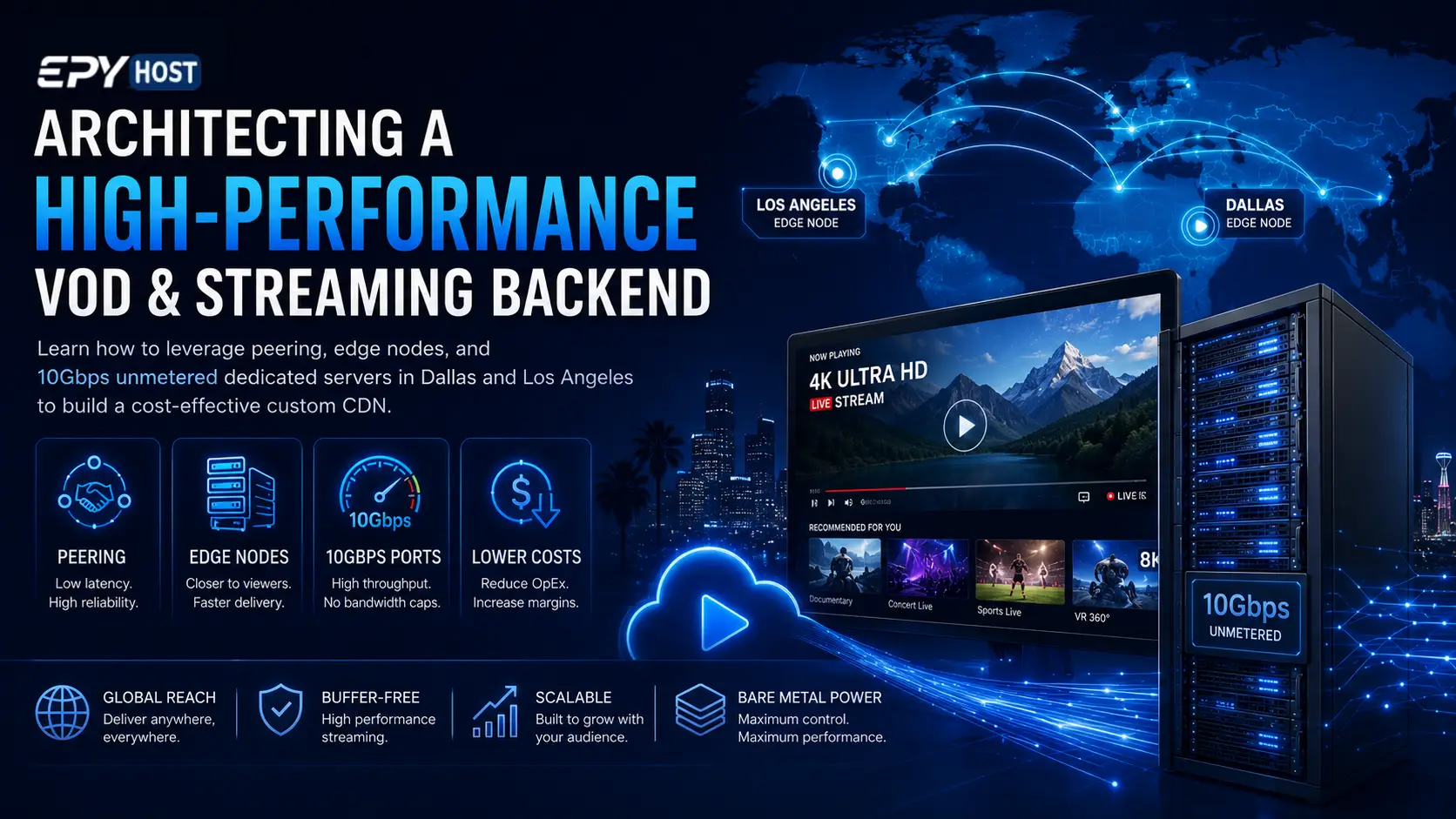
The solution utilized by industry giants is to build a hybrid or fully custom streaming backend using bare-metal hardware. In this highly technical guide, we will break down the architecture of a custom VOD and streaming CDN. We will explore the critical network fundamentals of peering and IP transit, analyze the complex math behind bitrate and port speeds, and demonstrate how strategic geographic placement using bare metal servers can help you deliver buffer-free video while drastically reducing your infrastructure OpEx.
The Anatomy of a Video Streaming CDN
A modern video delivery network is not a single server; it is a distributed topology designed to move heavy video files as close to the end-user as physically possible. This architecture is generally divided into two distinct layers: the Origin and the Edge.
1. The Origin Server (The Vault)
The origin server is the centralized source of truth. For VOD platforms, this is where your massive storage arrays (often utilizing ZFS or Ceph) hold the master video files. When a user uploads a video, it lands on the origin. Here, the video undergoes a process called transcoding and packaging. The master file is converted into multiple different resolutions (1080p, 720p, 480p) and segmented into tiny, 2-to-10-second chunks using protocols like HTTP Live Streaming (HLS) or Dynamic Adaptive Streaming over HTTP (DASH).
2. Edge Nodes (The Delivery Fleet)
An edge node is a highly specialized cache server deployed in various geographic locations. Edge nodes do not store the entire video library permanently. Instead, they sit at the "edge" of the network, as close to the consumer's Internet Service Provider (ISP) as possible.
When a user in California requests a video, they do not connect to your origin server in New York. Instead, DNS or BGP Anycast routes their request to a local edge node in California. If the edge node has the video chunks in its RAM or NVMe cache (a cache hit), it serves the video instantly. If it does not (a cache miss), the edge node fetches the chunks from the origin, serves them to the user, and caches them for the next viewer. To build a high-performance streaming network, you must deploy powerful edge nodes in strategic, high-density population centers.
The Mathematics of Streaming: Bitrate and Throughput
Before you can provision hardware for your edge nodes, you must understand the mathematics of video delivery. The two most critical metrics are bitrate and concurrent viewers.
Understanding Bitrate
Bitrate is the amount of data processed per second of a video. It dictates the visual quality of the stream and the network capacity required to deliver it.
- A standard 1080p video stream requires a bitrate of roughly 5 to 8 Mbps (Megabits per second).
- A 4K UHD video stream requires a bitrate of roughly 25 to 50 Mbps.
Modern streaming relies on Adaptive Bitrate (ABR) streaming. The video player continuously monitors the user's internet connection. If the connection drops, the player seamlessly requests a lower bitrate chunk (e.g., switching from 1080p to 480p) to prevent the video from pausing to buffer.
Calculating Port Speed Requirements
Let's apply this math to a real-world scenario. Assume you are hosting a live sporting event or a highly anticipated VOD release, and you expect 2,000 concurrent viewers in a specific region watching at 1080p (averaging 6 Mbps).
Formula: Concurrent Viewers × Bitrate = Required Bandwidth
Calculation: 2,000 viewers × 6 Mbps = 12,000 Mbps (or 12 Gbps)
If you deploy a standard edge node with a 1Gbps uplink, your server will completely saturate at around 160 viewers. Everyone else will experience severe buffering, packet loss, and connection timeouts.
This is why traditional web servers fail at video delivery. To operate an edge node successfully, you must provision a 10gbps dedicated server USA. By utilizing servers equipped with 10Gbps Port Speeds, a single bare-metal edge node can comfortably sustain over 1,500 concurrent 1080p streams. For massive events, you simply deploy these 10Gbps edge nodes in a horizontally scaled cluster behind a load balancer.
Network Engineering: Peering vs. IP Transit
Having a 10Gbps port on your server is useless if the network path between your server and the viewer is congested. Understanding how internet traffic flows is the secret to building a premium video backend. In the world of CDN architecture, bandwidth is categorized into two types: IP Transit and Peering.
IP Transit: The Highway Toll Road
IP Transit is when you pay a Tier 1 network provider (like Lumen, Telia, or NTT) to carry your data anywhere on the global internet. If your server needs to send a video chunk to a viewer on a rural ISP, your traffic uses IP transit. It is reliable, but it routes through multiple intermediary hops, which can introduce latency and jitter. Furthermore, IP Transit is expensive at scale.
Peering: The Direct Local Connection
Peering is the holy grail of video streaming. Peering occurs when two networks connect directly to each other to exchange traffic without paying a third-party transit provider. This usually happens at massive data centers known as Internet Exchange Points (IXPs).
If your edge node is located in the same data center as a major consumer ISP (like Comcast or AT&T), you can establish a direct peering session via BGP (Border Gateway Protocol). When a Comcast user requests a video, the data goes straight from your server, across a piece of fiber inside the building, and directly onto Comcast's network.
Peering drastically reduces latency, eliminates intermediate network congestion (the primary cause of prime-time buffering), and drastically lowers your bandwidth costs.
Geographic Placement Strategy: Dominating the USA
To maximize your peering opportunities and minimize physical distance to the viewer, you must deploy your edge nodes strategically. The United States is a massive landmass; a single server location cannot provide buffer-free 4K video to all 50 states. To build a true USA dedicated server footprint, you must target the core internet routing hubs.
The West Coast Edge: Los Angeles
California is not just a massive population center; it is the primary gateway for internet traffic moving between the Americas and the Asia-Pacific (APAC) region.
Deploying a Dedicated server Los Angeles is a mandatory step for any streaming architect. Los Angeles is home to some of the most critical peering exchanges in the world, such as the Any2Exchange and the LA-IIX. By placing an edge node here, you can establish direct peering sessions with every major West Coast ISP, delivering ultra-low latency video to viewers from Seattle to San Diego. Furthermore, because LA is the landing point for Trans-Pacific subsea cables, an LA edge node can effectively serve high-quality video to users in Tokyo or Sydney who are routing across the ocean.
The Central Routing Hub: Dallas
If you can only afford to deploy an edge node in one location in the United States, it should be Texas. Dallas is geographically centered, but more importantly, it is the telecom crossroads of the nation. Major fiber optic lines running from the East Coast to the West Coast, and from Canada down into Mexico and South America, all intersect in Dallas data centers.
Securing a Cheap dedicated server Dallas provides the highest ROI for your CDN architecture. A Dallas edge node can comfortably serve video to the Midwest, the deep South, and the East Coast with sub-40ms latency. In the context of video streaming (which is less latency-sensitive than high-frequency trading or gaming, thanks to video player buffers), 40ms is virtually instantaneous. Dallas serves as the ultimate fallback node and the backbone of a robust national streaming infrastructure.
The Financial Trap: Why Unmetered Bandwidth is Mandatory
As we established, streaming requires massive throughput. However, the throughput is only half of the financial equation; the other half is data transfer volume (egress). Public cloud providers typically charge around $0.05 to $0.08 per Gigabyte of outbound data transfer. Let's do the math on a successful streaming platform:
- A user watching a 1080p stream (5 Mbps) for 2 hours consumes roughly 4.5 Gigabytes of data.
- If you have 10,000 viewers watching a 2-hour movie, you just pushed 45 Terabytes (TB) of data.
- On a public cloud charging $0.05/GB, that single movie premiere just cost you $2,250 in bandwidth fees alone.
If your platform hosts user-generated content, 24/7 live streams, or a massive VOD catalog, metered billing will bankrupt you. The only way to build a financially sustainable video platform is to shift from OpEx (operational, usage-based pricing) to fixed-cost infrastructure.
This is why video engineers rely exclusively on Unmetered Bandwidth bare-metal servers. With an unmetered 10Gbps dedicated server, you pay a flat monthly lease for the hardware and the network port. Whether you push 10 Terabytes or 3,000 Terabytes (3 Petabytes) in a month, your invoice remains exactly the same. This predictability is critical for scaling a VOD business. It allows you to run high-bitrate 4K content and host viral live streams without the anxiety of a catastrophic bandwidth bill at the end of the month.
Hardware Optimization for Video Edge Caching
Finally, to maximize the capability of your 10Gbps unmetered port, the hardware inside your edge node must be tuned for intense read operations. When configuring a dedicated server for video edge caching (running software like Nginx, Varnish, or a custom HAProxy setup), prioritize the following components:
- Massive RAM Allocations: The fastest cache is memory cache. If a video goes viral, you want the HLS chunks to be served directly out of RAM (tmpfs). Provisioning edge servers with 128GB to 256GB of ECC RAM ensures that your most popular "hot" content never even touches the physical disks, allowing you to easily saturate a 10Gbps line.
- NVMe Storage Arrays: For the "warm" content—videos that are popular but can't all fit in RAM—you must use NVMe solid-state drives. Standard SATA SSDs will bottleneck under the immense random-read IOPS required to serve thousands of concurrent video chunks. PCIe Gen 4 or Gen 5 NVMe drives can push gigabytes per second, keeping your network interface fully fed.
- Modern Multi-Core CPUs: While edge caching is mostly I/O bound, you still need a capable CPU (like an AMD EPYC or Intel Xeon) to handle the intense SSL/TLS encryption overhead. Every video stream today is delivered over HTTPS. Encrypting 10 Gigabits of data per second on the fly requires significant cryptographic processing power.
Conclusion
Architecting a custom VOD and streaming backend is a serious engineering endeavor, but the payoff in performance and cost savings is immense. By moving away from hyper-expensive public clouds and embracing a bare-metal edge topology, you gain absolute control over your delivery network.
To dominate the streaming landscape, remember the core tenets of video CDN architecture:
- Understand the Math: Calculate your bitrates and concurrent viewers, and ensure you provision 10gbps dedicated server USA infrastructure to prevent port saturation.
- Localize the Edge: Deploy a Dedicated server Los Angeles for West Coast and APAC peering, and establish a Cheap dedicated server Dallas as your centralized national routing hub.
- Control the Costs: Never stream on a metered connection. Lock in your margins by leveraging high-capacity, unmetered bandwidth servers.
- Optimize the Network: Seek out data centers with premium IP transit blends and direct peering agreements to minimize latency and eliminate prime-time buffering.
By merging strategic geographic placement with unmetered, high-throughput hardware, you can build a broadcast-grade CDN capable of delivering flawless 4K video to millions of users worldwide.
 Recent Topics for you