
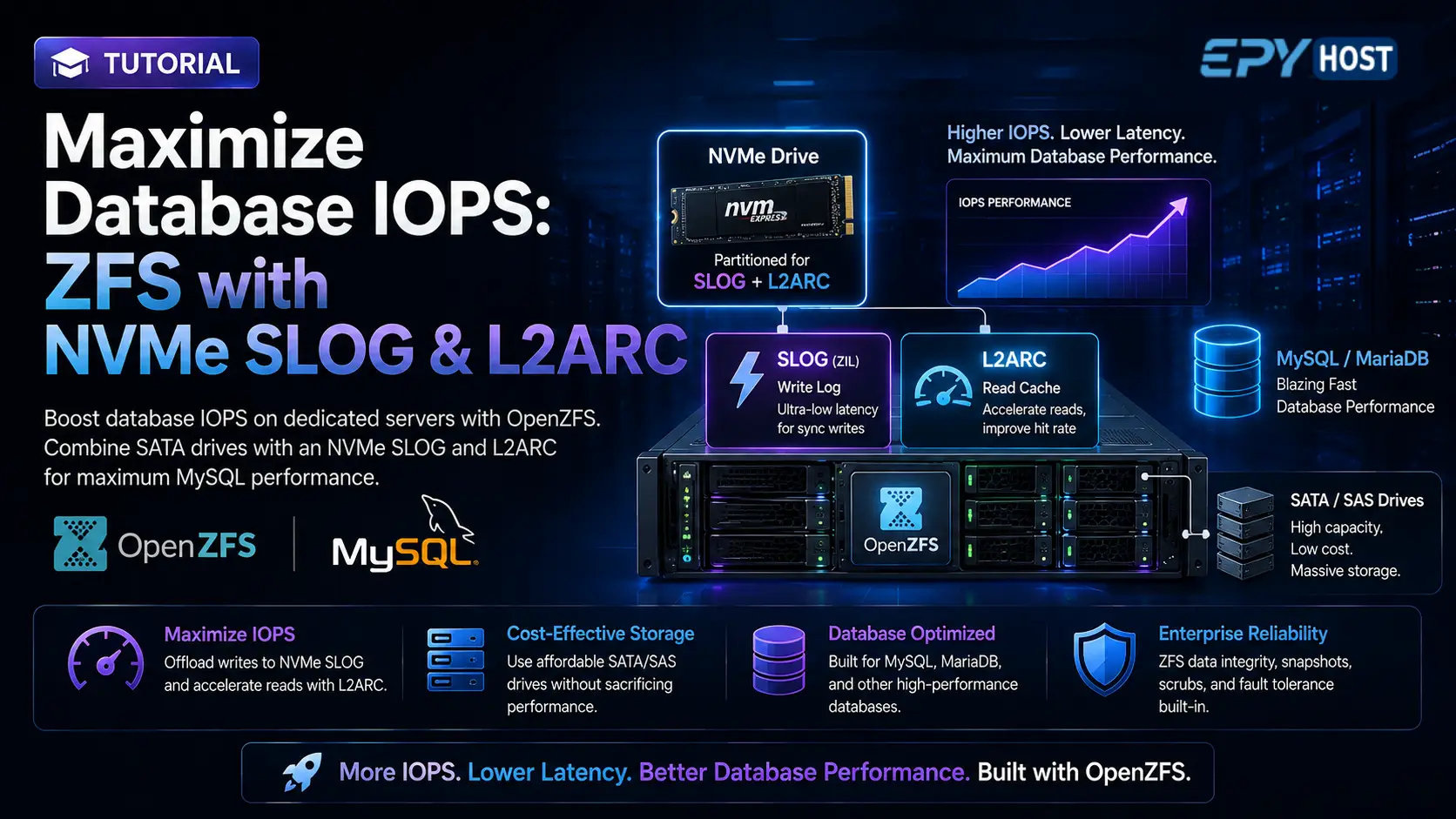
Hosting large-scale databases usually forces system administrators into a difficult financial choice: either spend a fortune on a 100% enterprise NVMe storage array, or settle for high-capacity mechanical (SATA/SAS) drives and suffer through severe I/O bottlenecks. Databases like MySQL and PostgreSQL require massive amounts of random read/write IOPS (Input/Output Operations Per Second), which traditional spinning disks simply cannot provide.
Fortunately, there is a powerful architectural secret used by bare-metal hosting experts: OpenZFS caching.
By utilizing ZFS, you can build a massive, cost-effective storage array using standard, high-capacity disks, and then dramatically accelerate its performance using just a single, lightning-fast NVMe drive. We achieve this by partitioning the NVMe drive and assigning those partitions as a Dedicated ZFS Intent Log (SLOG) for synchronous writes, and a Level 2 Adaptive Replacement Cache (L2ARC) for read caching.
In this tutorial, we will walk through exactly how to build and tune this hybrid storage architecture on your EPY Host dedicated server so your database can process transactions at NVMe speeds while storing terabytes of data on affordable drives.
What You'll Learn
The Anatomy of ZFS Caching: ARC, L2ARC, and SLOG
Preparing and Partitioning the NVMe Drive
Creating the ZFS Pool with Caching Devices
Tuning ZFS Recordsize for InnoDB/MySQL
Configuring zfs_arc_max to Prevent OOM Crashes
Verifying Cache Hit Rates and Performance
The Anatomy of ZFS Caching: ARC, L2ARC, and SLOG
Before typing any commands, it is critical to understand why this setup works and how ZFS handles data in memory and on disk.
-
ARC (Adaptive Replacement Cache): This is the primary read cache for ZFS, and it lives completely in your server's RAM. It is incredibly fast and highly intelligent, keeping your most frequently accessed database queries in memory.
-
L2ARC (Level 2 ARC): RAM is expensive and limited. When the ARC fills up, ZFS normally evicts older data back to the slow spinning disks. An L2ARC acts as an intermediary. By placing the L2ARC on an NVMe drive, evicted RAM data is temporarily stored on the fast SSD. If the database needs that data again, it reads it from the NVMe drive instead of waking up the slow mechanical disks.
-
ZIL and SLOG (Separate Intent Log): Databases rely heavily on synchronous writes to guarantee data integrity (meaning the database waits for the disk to confirm the data is written before moving on). On mechanical drives, this wait time causes massive lag. ZFS groups these writes into a ZFS Intent Log (ZIL). By creating a SLOG, you move the ZIL off the slow hard drives and onto the NVMe drive. The database writes to the NVMe, receives instant confirmation, and ZFS flushes the data to the mechanical drives in the background.
Preparing and Partitioning the NVMe Drive
In this scenario, let's assume you have an EPY Host dedicated server with two large 16TB SATA HDDs (for mirroring/storage) and one 1TB NVMe drive (for caching).
We need to split the NVMe drive into two partitions: one for the SLOG and one for the L2ARC.
How big should the SLOG be? A common misconception is that bigger is better. The SLOG only holds synchronous write data for about 5 seconds before it flushes to the main pool. Even on a saturated 10Gbps link, you physically cannot write more than 10-15GB in 5 seconds. Therefore, capping your SLOG partition at 16GB to 32GB is more than enough. The rest of the drive will be dedicated to the L2ARC.
Let's assume your NVMe drive is identified as /dev/nvme0n1. Use the sgdisk utility to wipe and partition it.
1. Clear existing partition tables:
sudo sgdisk -Z /dev/nvme0n1
2. Create a 32GB partition for the SLOG:
sudo sgdisk -n 1:0:+32G -t 1:BF01 -c 1:"ZFS_SLOG" /dev/nvme0n1
3. Use the remaining space for the L2ARC:
sudo sgdisk -n 2:0:0 -t 2:BF01 -c 2:"ZFS_L2ARC" /dev/nvme0n1
Run lsblk to confirm you now have /dev/nvme0n1p1 (32GB) and /dev/nvme0n1p2 (remaining capacity).
Creating the ZFS Pool with Caching Devices
Now we will create the main storage pool (dbpool) using our two large SATA drives (e.g., /dev/sda and /dev/sdb) in a mirror configuration for redundancy, while simultaneously attaching our NVMe caching partitions.
Run the following command to build the entire hybrid architecture at once:
sudo zpool create -f dbpool mirror /dev/sda /dev/sdb \
    log /dev/nvme0n1p1 \
    cache /dev/nvme0n1p2
Let's break down this command:
mirror /dev/sda /dev/sdb: Creates a redundant RAID 1 equivalent using the high-capacity drives.log /dev/nvme0n1p1: Attaches the 32GB NVMe partition as the SLOG to absorb synchronous database writes instantly.cache /dev/nvme0n1p2: Attaches the rest of the NVMe drive as the L2ARC to cache frequent read queries.
Verify the structure of your new highly-optimized pool:
sudo zpool status dbpool
You should clearly see the main mirror, the logs section, and the cache section properly mapped.
Tuning ZFS Recordsize for InnoDB/MySQL
Just building the pool isn't enough. If you run a database on ZFS without tuning the dataset, performance will actually degrade. This is due to Write Amplification.
By default, ZFS writes data in 128KB blocks (recordsize). However, MySQL's InnoDB storage engine reads and writes data in 16KB pages. If InnoDB attempts to change 16KB of data, ZFS is forced to read the entire 128KB block, modify the 16KB portion, and rewrite the whole 128KB block back to the disk. This mismatch severely inflates disk I/O and destroys IOPS performance.
To fix this, we must create a dedicated dataset for MySQL and align the ZFS recordsize perfectly with the InnoDB page size.
1. Create a dataset specifically for MySQL:
sudo zfs create dbpool/mysql
2. Match the ZFS recordsize to the InnoDB block size (16KB):
sudo zfs set recordsize=16k dbpool/mysql
3. Apply additional database optimizations:
Databases handle their own access times and caching mechanisms, so we want to disable overlapping file-system features.
# Disable file access time tracking to reduce unnecessary writes
sudo zfs set atime=off dbpool/mysql

# Tell ZFS to prioritize latency (SLOG) over bulk throughput for this dataset
sudo zfs set logbias=latency dbpool/mysql

# Enable lightweight LZ4 compression (saves disk space and speeds up I/O via CPU)
sudo zfs set compression=lz4 dbpool/mysql
-
Important Note: You must set
recordsize=16kbefore you install MySQL or migrate your data into/dbpool/mysql. Changing the recordsize only affects new files written to the disk, it does not rewrite existing data retroactively.
Configuring zfs_arc_max to Prevent OOM Crashes
Memory management is the most critical aspect of running a database on ZFS.
By default, ZFS on Linux is extremely aggressive and will consume up to 50% of your total system RAM for the ARC. Meanwhile, MySQL’s innodb_buffer_pool_size is typically configured by database administrators to use 60% to 70% of the server's RAM.
If you leave default settings intact, ZFS and MySQL will eventually fight over memory, leading to an Out-Of-Memory (OOM) kernel panic that crashes your server. You must hard-cap the ZFS ARC limit.
Since you have an NVMe L2ARC to handle overflow, you can safely limit the RAM ARC to a smaller footprint (e.g., 8GB or 16GB, depending on your total memory).
1. Create or edit the ZFS kernel module configuration file:
sudo nano /etc/modprobe.d/zfs.conf
2. Add the ARC limits in bytes:
To cap the ARC at a maximum of 16GB (17179869184 bytes), add the following lines:
# Cap ZFS ARC Maximum to 16GB
options zfs zfs_arc_max=17179869184
3. Apply the changes:
To ensure this persists across reboots, update your initramfs:
sudo update-initramfs -u -k all
To apply it immediately without rebooting your live server, echo the value directly into the sysfs parameter:
echo 17179869184 | sudo tee /sys/module/zfs/parameters/zfs_arc_max
Now, MySQL has plenty of room to expand its buffer pool, while ZFS is strictly contained, preventing fatal memory starvation.
Verifying Cache Hit Rates and Performance
Once your database is actively running and serving traffic, you need to monitor if your SLOG and L2ARC are doing their jobs.
Monitoring Live I/O: You can watch the I/O traffic being absorbed by your NVMe drive in real-time by running:
sudo zpool iostat -v dbpool 2
This will refresh every 2 seconds. Under heavy database writes, you will see a massive amount of write bandwidth hitting your log device (the SLOG), while your main mirror disks remain unburdened, sequentially flushing data in the background.
Analyzing L2ARC Hit Rates: To check if your database reads are successfully being cached by the RAM (ARC) and the NVMe (L2ARC), use the arc_summary tool:
arc_summary
Scroll down to the L2ARC section. You will see statistics detailing how many bytes have been successfully read from the NVMe cache instead of the spinning disks. A high hit rate means your high-capacity drives are performing like an enterprise all-flash NVMe array, saving you thousands of dollars while delivering incredible database speed.